Employees, Active (Grouped By Store)
Overview
The Employees, Active (Grouped By Store) Report allows you to view a
complete history of your active employees' history, grouped by store.
To get to the Employees, Active (Grouped By Store) Report select Reporting from the Main
Toolbar and then click View/Print
Report. On the View/Print All Report
Page, select Employees, Active (Grouped
By Store) from the Report
drop down menu.
Viewing a Report for All Stores
To view a report for all stores:
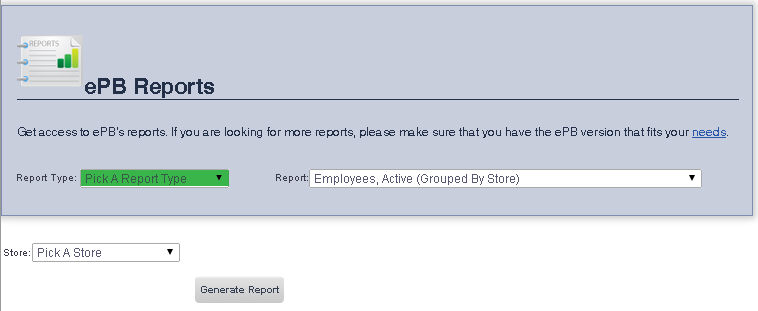
- Ensure that Pick a Store
is selected from the Store
drop down menu.
- Click Generate Report.
Viewing a Report for a Particular Store
To view a report for a particular store:
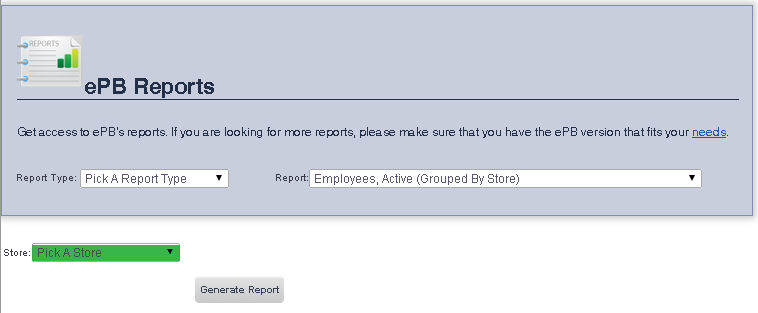
- Select the Store you would like to view the report for from the
Store drop down menu.
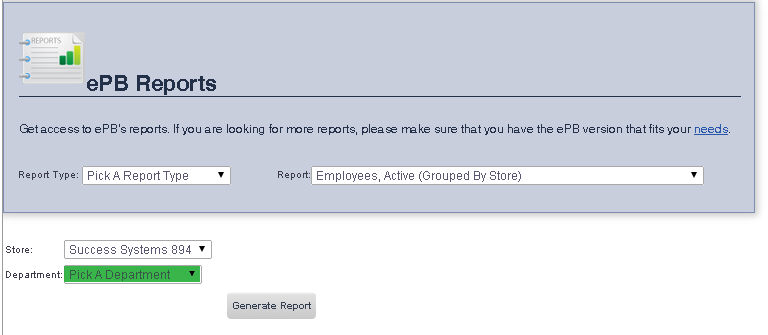
- If you would like to view a report for a particular department,
select the department you would like to view the report for from the
Department drop down menu.
If you would like to view a report for all departments, ensure
that Pick a Department is
selected.
- When you are finished, click the Generate
Report button.