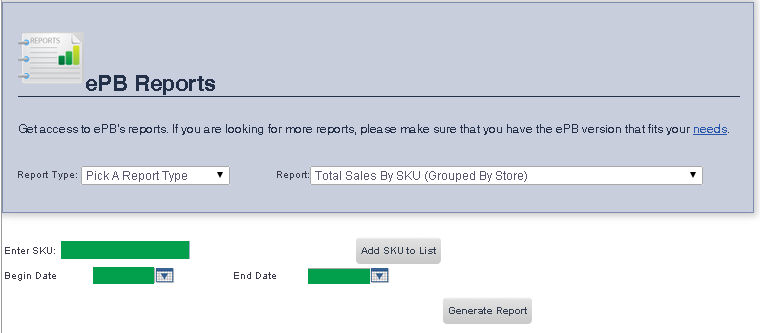
The Total Sales By SKU (Grouped By Store) Report allows you to view total sales for manually entered item SKUs, grouped by store.
To get to the Total Sales By SKU Report select Reporting from the Main Toolbar and then click View/Print Report. On the View/Print All Report Page, select Total Sales By SKU from the Report drop down menu.
1. Enter the item SKU you would like to view a report for in the Enter SKU text box.
2. Enter the date you would like the report to begin on into the Begin Date text box, or select one using the calendar tool to the right of that text box.
3. Enter the date you would like the report to end on into the End Date text box, or select one using the calendar tool to the right of that text box.
4. If you would like to view a report for multiple SKUs, you may do so by clicking the Add SKU to List button.
5. When you are finished, click Generate Report.
frmReports.aspx and frmReportWrapper.aspx