Register Synchronization: View Pending Changes (ePB
Lite, ePB Premium, ePB Books, and ePB Accounting)
Overview
The View Pending Changes Page allows you to review the transmission
status of changes sent from your price book to your register.
- From the Main Toolbar,
Select Admin, then Register
Synchronization, then click View
Pending Changes.
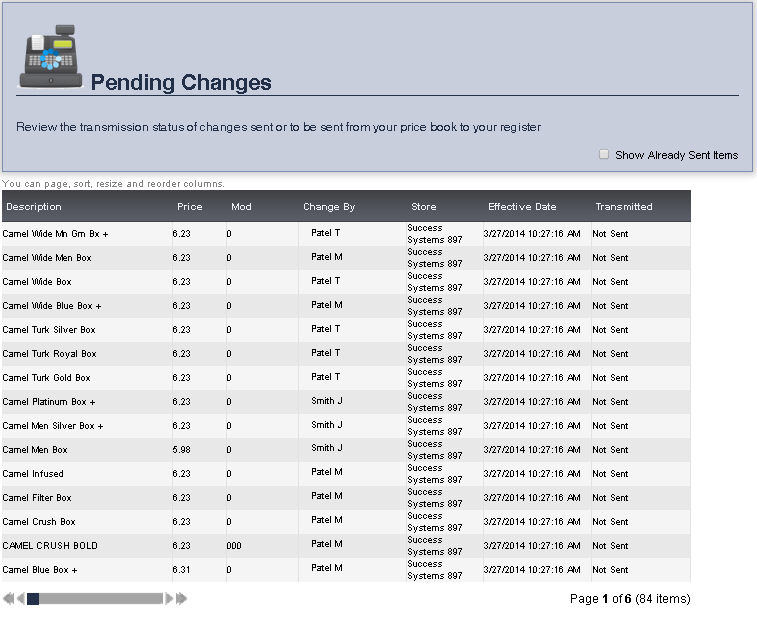
- The item's Description,
Price, Modifier,
who made changes to that item, the Store
the item is in, the Effective Date
for the change, and the Transmitted
status will be displayed.
- To include already sent items, check the box next to Show
Already Sent Items by clicking it. You can toggle between
checking and un-checking the box by clicking it.